📝 Hello World
The simplest possible PDF — create a single page with one line of text.
Hello World
using ObviousPDF;

// Create a new PDF document. This is the main entry point for ObviousPDF.
var doc = new PdfDocument();

// Set document metadata — good practice even for simple PDFs.
doc.Info.Title = "Hello World";
doc.Info.Author = "ObviousPDF";

// Add a US Letter page (612×792 points, the default).
// The coordinate origin (0,0) is at the bottom-left corner.
var page = doc.AddPage();

// Add text at position (72, 720) — 1 inch from the left,
// 10 inches from bottom. Default font is Helvetica 12pt black.
page.AddText("Hello, World!", 72, 720);

// Save the document to disk.
doc.Save("hello.pdf");
Imports ObviousPDF
' Create a new PDF document. This is the main entry point for ObviousPDF.
Dim doc As New PdfDocument()
' Set document metadata — good practice even for simple PDFs.
doc.Info.Title = "Hello World"
doc.Info.Author = "ObviousPDF"
' Add a US Letter page (612×792 points, the default).
' The coordinate origin (0,0) is at the bottom-left corner.
Dim page = doc.AddPage()
' Add text at position (72, 720) — 1 inch from the left,
' 10 inches from bottom. Default font is Helvetica 12pt black.
page.AddText("Hello, World!", 72, 720)
' Save the document to disk.
doc.Save("hello.pdf")open ObviousPDF
// Create a new PDF document. This is the main entry point for ObviousPDF.
let doc = PdfDocument()
// Set document metadata — good practice even for simple PDFs.
doc.Info.Title <- "Hello World"
doc.Info.Author <- "ObviousPDF"
// Add a US Letter page (612×792 points, the default).
// The coordinate origin (0,0) is at the bottom-left corner.
let page = doc.AddPage()
// Add text at position (72, 720) — 1 inch from the left,
// 10 inches from bottom. Default font is Helvetica 12pt black.
page.AddText("Hello, World!", 72, 720)
// Save the document to disk.
doc.Save("hello.pdf")# Load the ObviousPDF assembly
Add-Type -Path "ObviousPDF.dll"
# Create a new PDF document. This is the main entry point for ObviousPDF.
$doc = [ObviousPDF.PdfDocument]::new()
# Set document metadata — good practice even for simple PDFs.
$doc.Info.Title = "Hello World"
$doc.Info.Author = "ObviousPDF"
# Add a US Letter page (612×792 points, the default).
# The coordinate origin (0,0) is at the bottom-left corner.
$page = $doc.AddPage()
# Add text at position (72, 720) — 1 inch from the left,
# 10 inches from bottom. Default font is Helvetica 12pt black.
$page.AddText("Hello, World!", 72, 720)
# Save the document to disk.
$doc.Save("hello.pdf")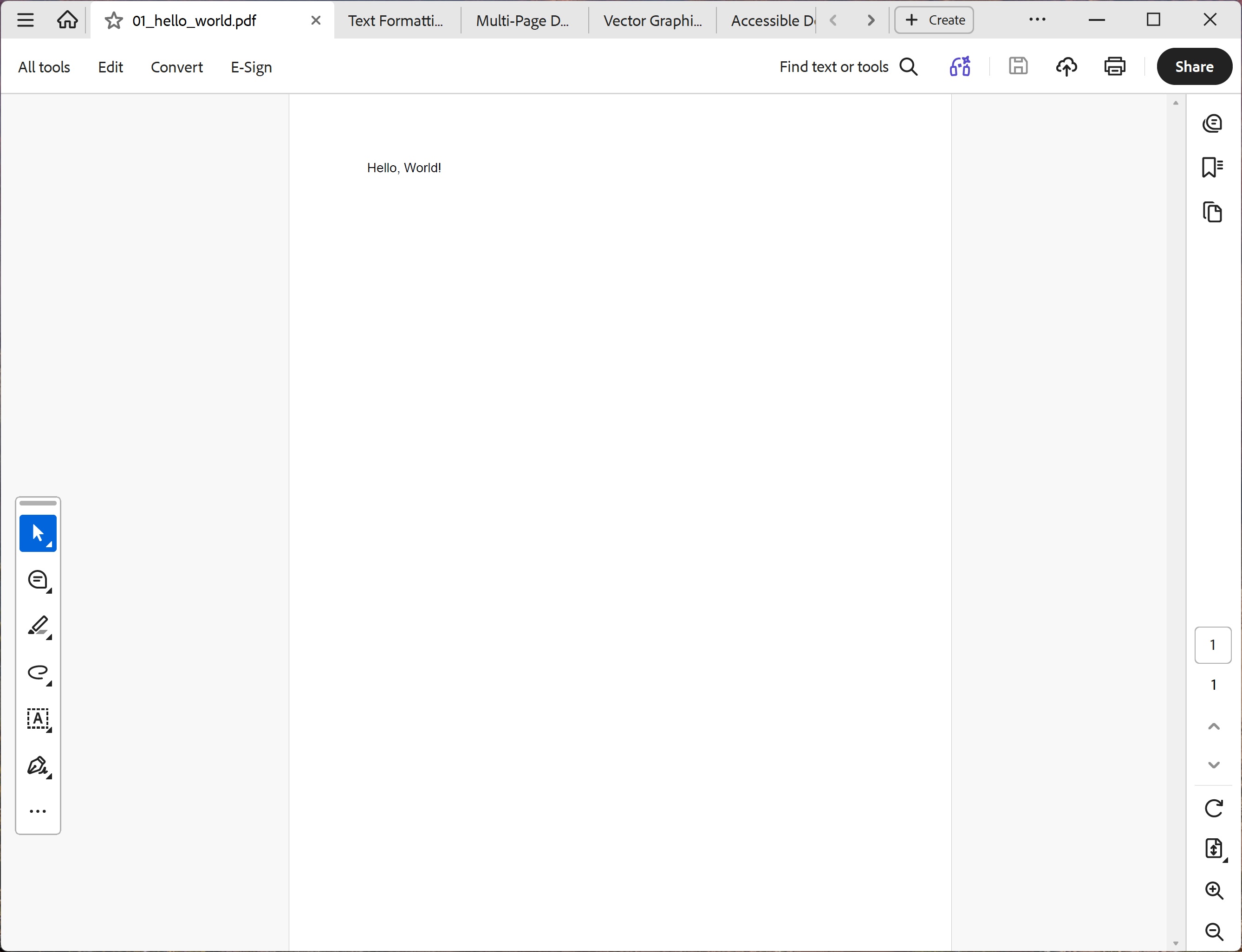
You should see a plain white US Letter page with "Hello, World!" in Helvetica 12 pt near the top-left, with no other content.
File: 01_hello_world.pdf
Key Concepts
| Concept | Details |
|---|---|
| Coordinate origin | Bottom-left corner of the page (0, 0) |
| Units | Points — 1 point = 1/72 inch |
| Default page size | US Letter: 612 × 792 points (8.5 × 11 inches) |
| Default font | Helvetica 12pt, black |
| Position (72, 720) | 1 inch from left, 10 inches from bottom |