🌐 Linearized (Fast Web View)
Optimized PDFs that display the first page immediately while the rest downloads in the background.
Linearized PDF
using ObviousPDF;
using ObviousPDF.Accessibility;
using ObviousPDF.Fonts;

var doc = new PdfDocument();
doc.Info.Title = "Linearized PDF";
doc.Language = "en-US";
doc.DisplayDocTitle = true;
doc.Linearize = true;

var root = doc.EnableTaggedPdf();

for (int i = 0; i < 3; i++)
{
    var page = doc.AddPage();
    var h = root.AddChild(StructureType.H1);
    page.AddTaggedText(h, $"Page {i + 1}", 72, 740,
        new PdfTextOptions { Font = StandardFont.HelveticaBold, FontSize = 20 });

    var p = root.AddChild(StructureType.P);
    page.AddTaggedText(p,
        "This PDF is linearized for fast web view. The first page " +
        "loads before the rest of the file is downloaded.",
        72, 700, new PdfTextOptions { FontSize = 12 });
}

doc.Save("linearized.pdf");
Imports ObviousPDF
Imports ObviousPDF.Accessibility
Imports ObviousPDF.Fonts
Dim doc As New PdfDocument()
doc.Info.Title = "Linearized PDF"
doc.Language = "en-US"
doc.DisplayDocTitle = True
doc.Linearize = True
Dim root = doc.EnableTaggedPdf()
For i As Integer = 0 To 2
Dim page = doc.AddPage()
Dim h = root.AddChild(StructureType.H1)
page.AddTaggedText(h, $"Page {i + 1}", 72, 740,
New PdfTextOptions With { .Font = StandardFont.HelveticaBold, .FontSize = 20 })
Dim p = root.AddChild(StructureType.P)
page.AddTaggedText(p,
"This PDF is linearized for fast web view. The first page " &
"loads before the rest of the file is downloaded.",
72, 700, New PdfTextOptions With { .FontSize = 12 })
Next
doc.Save("linearized.pdf")open ObviousPDF
open ObviousPDF.Accessibility
open ObviousPDF.Fonts
let doc = PdfDocument()
doc.Info.Title <- "Linearized PDF"
doc.Language <- "en-US"
doc.DisplayDocTitle <- true
doc.Linearize <- true
let root = doc.EnableTaggedPdf()
for i in 0 .. 2 do
let page = doc.AddPage()
let h = root.AddChild(StructureType.H1)
page.AddTaggedText(h, sprintf "Page %d" (i + 1), 72.0, 740.0,
PdfTextOptions(Font = StandardFont.HelveticaBold, FontSize = 20.0))
let p = root.AddChild(StructureType.P)
page.AddTaggedText(p,
"This PDF is linearized for fast web view. The first page " +
"loads before the rest of the file is downloaded.",
72.0, 700.0, PdfTextOptions(FontSize = 12.0))
doc.Save("linearized.pdf")Add-Type -Path "ObviousPDF.dll"
$doc = [ObviousPDF.PdfDocument]::new()
# Enable linearization (Fast Web View)
# Reorders internal objects so the first page
# can render before the full file downloads.
# Ideal for PDFs served over HTTP.
$doc.Linearize = $true
# Build the document as usual...
$doc.Info.Title = "Linearized PDF"
$doc.Language = "en-US"
$doc.DisplayDocTitle = $true
$root = $doc.EnableTaggedPdf()
# Add multiple pages
for ($i = 1; $i -le 5; $i++) {
$sect = $root.AddChild([ObviousPDF.Accessibility.StructureType]::Sect)
$h1 = $sect.AddChild([ObviousPDF.Accessibility.StructureType]::H1)
$p = $sect.AddChild([ObviousPDF.Accessibility.StructureType]::P)
$page = $doc.AddPage()
$page.AddTaggedText($h1, "Page $i", 72, 720,
[ObviousPDF.PdfTextOptions]@{
Font = [ObviousPDF.Fonts.StandardFont]::HelveticaBold
FontSize = 20
})
$page.AddTaggedText($p,
("Linearized PDFs display this page " +
"instantly while the rest downloads."),
72, 690)
$page.AddArtifactText("Page $i of 5",
270, 30, [ObviousPDF.Accessibility.PdfArtifactType]::Pagination)
}
$doc.Save("linearized.pdf")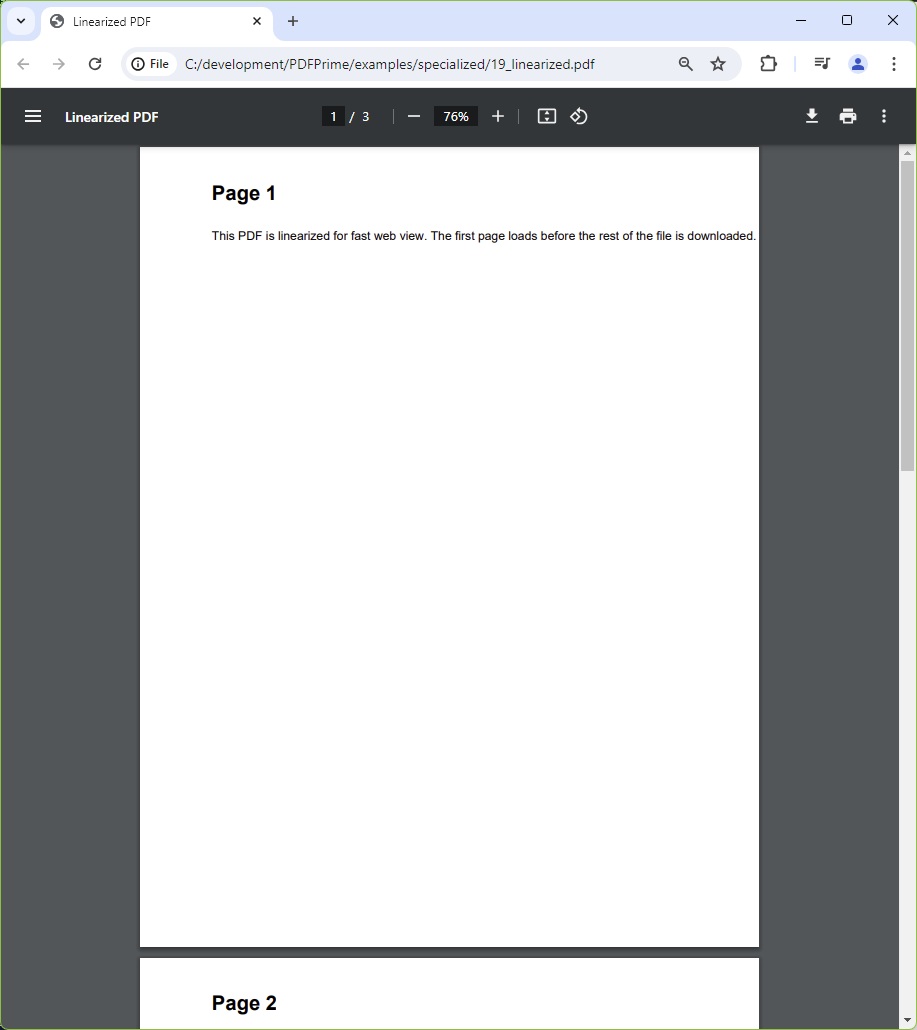
You should see three pages each with a bold "Page N" heading and a paragraph explaining linearized fast web view. In Adobe Acrobat or a browser PDF viewer, open Document Properties → Description and confirm "Fast Web View: Yes". The visible content is identical to a non-linearized PDF — only the internal byte layout differs.
File: 19_linearized.pdf
When to Use Linearization
| Scenario | Recommended |
|---|---|
| PDF served from a web server | ✅ Yes — users see page 1 immediately |
| PDF downloaded then opened | ⚪ Optional — no visible benefit |
| PDF embedded in an <iframe> | ✅ Yes — improves perceived performance |
| Single-page PDF | ⚪ No benefit — only one page to load |