✅ PDF/UA Full Compliance
Comprehensive example meeting all PDF/UA requirements: figures, tables, links, abbreviations, validation.
PDF/UA Compliance
using ObviousPDF;
using ObviousPDF.Accessibility;
using ObviousPDF.Fonts;

var doc = new PdfDocument();
doc.Info.Title = "PDF/UA Compliant Document";
doc.Info.Author = "ObviousPDF";
doc.Language = "en-US";
doc.DisplayDocTitle = true;
doc.PdfUaConformance = PdfUaConformanceLevel.PdfUA1;
var root = doc.EnableTaggedPdf();
var page1 = doc.AddPage();

page1.BeginArtifact(PdfArtifactType.Layout);
page1.FillRectangle(0, 760, 612, 32,
    new PdfDrawOptions { FillColor = PdfColor.FromRgb(0.1, 0.25, 0.5) });
page1.EndArtifact();

var h1 = root.AddChild(StructureType.H1);
page1.AddTaggedText(h1, "PDF/UA Compliance Guide", 72, 730,
    new PdfTextOptions { Font = StandardFont.HelveticaBold, FontSize = 22 });
var pIntro = root.AddChild(StructureType.P);
page1.AddTaggedText(pIntro,
    "This document demonstrates every PDF/UA requirement.", 72, 700,
    new PdfTextOptions { FontSize = 12 });

var sect = root.AddChild(StructureType.Sect);
var h2 = sect.AddChild(StructureType.H2);
page1.AddTaggedText(h2, "Figure with Alt Text", 72, 660,
    new PdfTextOptions { Font = StandardFont.HelveticaBold, FontSize = 16 });

var figure = sect.AddChild(StructureType.Figure,
    "Bar chart showing Q1-Q4 revenue growth");
figure.BBox = new[] { 72.0, 480.0, 350.0, 640.0 };
page1.BeginTaggedContent(figure);
page1.FillRectangle(72, 480, 278, 160,
    new PdfDrawOptions { FillColor = PdfColor.FromRgb(0.95, 0.95, 0.98) });
page1.DrawRectangle(72, 480, 278, 160);
page1.FillRectangle(92, 490, 40, 80,
    new PdfDrawOptions { FillColor = PdfColor.FromRgb(0.2, 0.4, 0.8) });
page1.FillRectangle(152, 490, 40, 110,
    new PdfDrawOptions { FillColor = PdfColor.FromRgb(0.2, 0.5, 0.8) });
page1.FillRectangle(212, 490, 40, 130,
    new PdfDrawOptions { FillColor = PdfColor.FromRgb(0.2, 0.6, 0.8) });
page1.FillRectangle(272, 490, 40, 150,
    new PdfDrawOptions { FillColor = PdfColor.FromRgb(0.2, 0.7, 0.8) });
page1.EndTaggedContent();

var sect2 = root.AddChild(StructureType.Sect);
var h2b = sect2.AddChild(StructureType.H2);
page1.AddTaggedText(h2b, "Abbreviation Expansion", 72, 450,
    new PdfTextOptions { Font = StandardFont.HelveticaBold, FontSize = 16 });
var pAbbr = sect2.AddChild(StructureType.P);
page1.AddTaggedText(pAbbr, "This document follows ", 72, 425,
    new PdfTextOptions { FontSize = 12 });

var abbrSpan = sect2.AddChild(StructureType.Span);
abbrSpan.Expansion = "Web Content Accessibility Guidelines";
page1.AddTaggedText(abbrSpan, "WCAG", 215, 425,
    new PdfTextOptions { Font = StandardFont.HelveticaBold, FontSize = 12 });

var pLink = sect2.AddChild(StructureType.P);
var linkSE = pLink.AddChild(StructureType.Link);
page1.AddTaggedLink(linkSE,
    "https://www.w3.org/WAI/standards-guidelines/wcag/",
    "Learn more about WCAG", 72, 395, 140, 14,
    new PdfTextOptions { FontSize = 12, Color = PdfColor.FromRgb(0, 0.2, 0.8) });

page1.AddArtifactText("Page 1", 285, 30, PdfArtifactType.Pagination,
    new PdfTextOptions { FontSize = 10, Color = PdfColor.FromRgb(0.5, 0.5, 0.5) });

doc.Save("pdfua_compliance.pdf");
Imports ObviousPDF
Imports ObviousPDF.Accessibility
Imports ObviousPDF.Fonts
Dim doc As New PdfDocument()
doc.Info.Title = "PDF/UA Compliant Document"
doc.Info.Author = "ObviousPDF"
doc.Language = "en-US"
doc.DisplayDocTitle = True
doc.PdfUaConformance = PdfUaConformanceLevel.PdfUA1
Dim root = doc.EnableTaggedPdf()
Dim page1 = doc.AddPage()
page1.BeginArtifact(PdfArtifactType.Layout)
page1.FillRectangle(0, 760, 612, 32,
New PdfDrawOptions With { .FillColor = PdfColor.FromRgb(0.1, 0.25, 0.5) })
page1.EndArtifact()
Dim h1 = root.AddChild(StructureType.H1)
page1.AddTaggedText(h1, "PDF/UA Compliance Guide", 72, 730,
New PdfTextOptions With { .Font = StandardFont.HelveticaBold, .FontSize = 22 })
Dim pIntro = root.AddChild(StructureType.P)
page1.AddTaggedText(pIntro,
"This document demonstrates every PDF/UA requirement.", 72, 700,
New PdfTextOptions With { .FontSize = 12 })
Dim sect = root.AddChild(StructureType.Sect)
Dim h2 = sect.AddChild(StructureType.H2)
page1.AddTaggedText(h2, "Figure with Alt Text", 72, 660,
New PdfTextOptions With { .Font = StandardFont.HelveticaBold, .FontSize = 16 })
Dim figure = sect.AddChild(StructureType.Figure,
"Bar chart showing Q1-Q4 revenue growth")
figure.BBox = New Double() {72.0, 480.0, 350.0, 640.0}
page1.BeginTaggedContent(figure)
page1.FillRectangle(72, 480, 278, 160,
New PdfDrawOptions With { .FillColor = PdfColor.FromRgb(0.95, 0.95, 0.98) })
page1.DrawRectangle(72, 480, 278, 160)
page1.FillRectangle(92, 490, 40, 80,
New PdfDrawOptions With { .FillColor = PdfColor.FromRgb(0.2, 0.4, 0.8) })
page1.FillRectangle(152, 490, 40, 110,
New PdfDrawOptions With { .FillColor = PdfColor.FromRgb(0.2, 0.5, 0.8) })
page1.FillRectangle(212, 490, 40, 130,
New PdfDrawOptions With { .FillColor = PdfColor.FromRgb(0.2, 0.6, 0.8) })
page1.FillRectangle(272, 490, 40, 150,
New PdfDrawOptions With { .FillColor = PdfColor.FromRgb(0.2, 0.7, 0.8) })
page1.EndTaggedContent()
Dim sect2 = root.AddChild(StructureType.Sect)
Dim h2b = sect2.AddChild(StructureType.H2)
page1.AddTaggedText(h2b, "Abbreviation Expansion", 72, 450,
New PdfTextOptions With { .Font = StandardFont.HelveticaBold, .FontSize = 16 })
Dim pAbbr = sect2.AddChild(StructureType.P)
page1.AddTaggedText(pAbbr, "This document follows ", 72, 425,
New PdfTextOptions With { .FontSize = 12 })
Dim abbrSpan = sect2.AddChild(StructureType.Span)
abbrSpan.Expansion = "Web Content Accessibility Guidelines"
page1.AddTaggedText(abbrSpan, "WCAG", 215, 425,
New PdfTextOptions With { .Font = StandardFont.HelveticaBold, .FontSize = 12 })
Dim pLink = sect2.AddChild(StructureType.P)
Dim linkSE = pLink.AddChild(StructureType.Link)
page1.AddTaggedLink(linkSE,
"https://www.w3.org/WAI/standards-guidelines/wcag/",
"Learn more about WCAG", 72, 395, 140, 14,
New PdfTextOptions With { .FontSize = 12, .Color = PdfColor.FromRgb(0, 0.2, 0.8) })
page1.AddArtifactText("Page 1", 285, 30, PdfArtifactType.Pagination,
New PdfTextOptions With { .FontSize = 10, .Color = PdfColor.FromRgb(0.5, 0.5, 0.5) })
doc.Save("pdfua_compliance.pdf")open ObviousPDF
open ObviousPDF.Accessibility
open ObviousPDF.Fonts
let doc = PdfDocument()
doc.Info.Title <- "PDF/UA Compliant Document"
doc.Info.Author <- "ObviousPDF"
doc.Language <- "en-US"
doc.DisplayDocTitle <- true
doc.PdfUaConformance <- PdfUaConformanceLevel.PdfUA1
let root = doc.EnableTaggedPdf()
let page1 = doc.AddPage()
page1.BeginArtifact(PdfArtifactType.Layout)
let hdrO = PdfDrawOptions()
hdrO.FillColor <- PdfColor.FromRgb(0.1, 0.25, 0.5)
page1.FillRectangle(0.0, 760.0, 612.0, 32.0, hdrO)
page1.EndArtifact()
let h1 = root.AddChild(StructureType.H1)
page1.AddTaggedText(h1, "PDF/UA Compliance Guide", 72.0, 730.0,
PdfTextOptions(Font = StandardFont.HelveticaBold, FontSize = 22.0))
let pIntro = root.AddChild(StructureType.P)
page1.AddTaggedText(pIntro,
"This document demonstrates every PDF/UA requirement.",
72.0, 700.0, PdfTextOptions(FontSize = 12.0))
let sect = root.AddChild(StructureType.Sect)
let h2 = sect.AddChild(StructureType.H2)
let h2O = PdfTextOptions(Font = StandardFont.HelveticaBold, FontSize = 16.0)
page1.AddTaggedText(h2, "Figure with Alt Text", 72.0, 660.0, h2O)
let figure = sect.AddChild(StructureType.Figure,
"Bar chart showing Q1-Q4 revenue growth")
figure.BBox <- [| 72.0; 480.0; 350.0; 640.0 |]
page1.BeginTaggedContent(figure)
let bgO = PdfDrawOptions()
bgO.FillColor <- PdfColor.FromRgb(0.95, 0.95, 0.98)
page1.FillRectangle(72.0, 480.0, 278.0, 160.0, bgO)
page1.DrawRectangle(72.0, 480.0, 278.0, 160.0)
let bar c = let o = PdfDrawOptions() in o.FillColor <- PdfColor.FromRgb(0.2, c, 0.8); o
page1.FillRectangle(92.0, 490.0, 40.0, 80.0, bar 0.4)
page1.FillRectangle(152.0, 490.0, 40.0, 110.0, bar 0.5)
page1.FillRectangle(212.0, 490.0, 40.0, 130.0, bar 0.6)
page1.FillRectangle(272.0, 490.0, 40.0, 150.0, bar 0.7)
page1.EndTaggedContent()
let sect2 = root.AddChild(StructureType.Sect)
let h2b = sect2.AddChild(StructureType.H2)
page1.AddTaggedText(h2b, "Abbreviation Expansion", 72.0, 450.0, h2O)
let pAbbr = sect2.AddChild(StructureType.P)
page1.AddTaggedText(pAbbr, "This document follows ", 72.0, 425.0,
PdfTextOptions(FontSize = 12.0))
let abbrSpan = sect2.AddChild(StructureType.Span)
abbrSpan.Expansion <- "Web Content Accessibility Guidelines"
page1.AddTaggedText(abbrSpan, "WCAG", 215.0, 425.0,
PdfTextOptions(Font = StandardFont.HelveticaBold, FontSize = 12.0))
let pLink = sect2.AddChild(StructureType.P)
let linkSE = pLink.AddChild(StructureType.Link)
let lkO = PdfTextOptions(FontSize = 12.0)
lkO.Color <- PdfColor.FromRgb(0.0, 0.2, 0.8)
page1.AddTaggedLink(linkSE,
"https://www.w3.org/WAI/standards-guidelines/wcag/",
"Learn more about WCAG", 72.0, 395.0, 140.0, 14.0, lkO)
let pgO = PdfTextOptions(FontSize = 10.0)
pgO.Color <- PdfColor.FromRgb(0.5, 0.5, 0.5)
page1.AddArtifactText("Page 1", 285.0, 30.0, PdfArtifactType.Pagination, pgO)
doc.Save("pdfua_compliance.pdf")Add-Type -Path "ObviousPDF.dll"
$doc = [ObviousPDF.PdfDocument]::new()
$doc.Language = "en-US"
$doc.Info.Title = "PDF/UA Compliant"
$doc.DisplayDocTitle = $true
$doc.PdfUaConformance =
[ObviousPDF.PdfUaConformanceLevel]::PdfUA1
$root = $doc.EnableTaggedPdf()
$page = $doc.AddPage()
$sect = $root.AddChild([ObviousPDF.Accessibility.StructureType]::Sect)
$para = $sect.AddChild([ObviousPDF.Accessibility.StructureType]::P)
# Figure with alt text + BBox (S7.3)
$fig = $sect.AddChild(
[ObviousPDF.Accessibility.StructureType]::Figure,
"Bar chart showing Q1-Q4 growth")
$fig.BBox = @(72.0, 480.0, 350.0, 640.0)
$page.BeginTaggedContent($fig)
# ... draw chart ...
$page.EndTaggedContent()
# Abbreviation with expansion (WCAG 3.1.4)
$abbr = $sect.AddChild(
[ObviousPDF.Accessibility.StructureType]::Span)
$abbr.Expansion =
"Web Content Accessibility Guidelines"
$page.AddTaggedText($abbr, "WCAG", 215, 425)
# Accessible link
$linkSE = $para.AddChild(
[ObviousPDF.Accessibility.StructureType]::Link)
$page.AddTaggedLink($linkSE,
"https://w3.org/WAI/", "Learn about WCAG",
72, 395, 140, 14)
# Validate!
$report = [ObviousPDF.Accessibility.PdfAccessibilityChecker]::new().
Check($doc)
# $report.IsFullyCompliant -eq $true
$doc.Save("c:\temp\pdfua_compliance.pdf")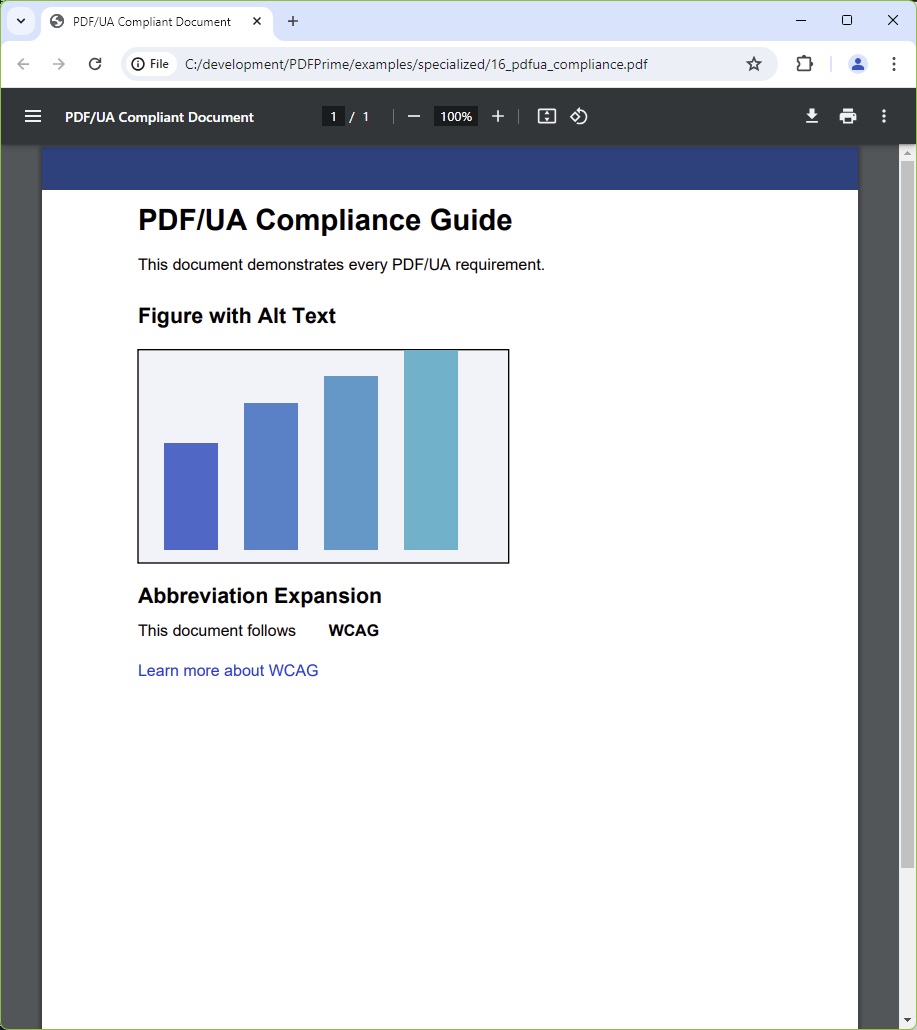
You should see a dark blue header bar, a bold "PDF/UA Compliance Guide" H1, an introduction paragraph, a "Figure with Alt Text" H2 above a placeholder bar chart (four blue bars of increasing height), an "Abbreviation Expansion" H2 with the word "WCAG" in bold (expansion: "Web Content Accessibility Guidelines"), a blue "Learn more about WCAG" hyperlink, and a centred "Page 1" footer.
File: 16_pdfua_compliance.pdf